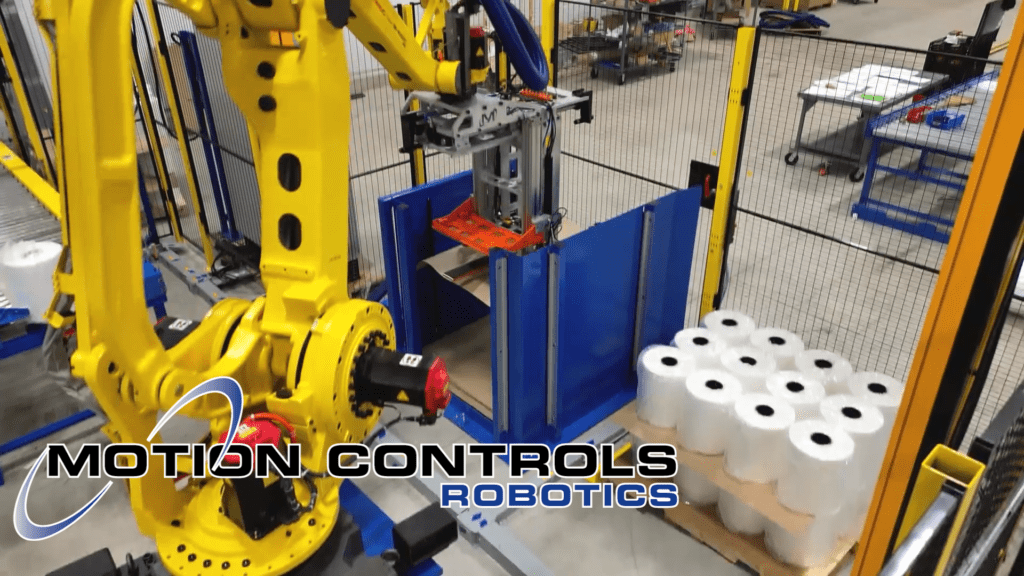
A Palletizing Machine-Dual M-Stack
As an advanced industrial automation palletizer, the Dual M-Stack delivers reliable, high-speed palletizing across two product lines. This system is…
Read ArticleFANUC’s Dual Check Safety (DCS) control architecture includes safety functions that can be used by the robot cell system designer/programmer to reduce floor space requirements and make fenceless robot cells more feasible.
Dual Check Safety software functions provide safety rated tools for the operator to create safety boundaries to ensure the robot doesn’t move outside of restricted spaces.
Prior to FANUC’s Dual Check Safety platform, the only way to safely prevent a robot, its end-of-arm tool, or the load it carried from moving into restricted areas was to install one or more mechanical hardstops on the robot. These hardstops were rigid, inflexible, and offered only limited functionality.
Originally developed as an alternative to large perimeter fencing, DCS continues to evolve with each new generation of FANUC controllers which makes it one of the most important safety tools in modern automation.
Today’s robotic safety specifications, as defined in The Association for Advancing Automations – ANSI/A3 R15.06-2025, call for the entire work envelope, or reach, of the robot to be protected including the robot’s end of arm tool and any product the robot carries. Without DCS, the larger the robot reach, the larger the space required for the robot’s perimeter safety fencing.
Explore related Tech Talk articles and training to get more from Dual Check Safety.
Using DCS decreases floor space needed for safe robot operation, keeps operators safe and allows robots to move at optimal efficiency. The DCS software functions reside in the FANUC controller and are integrated into FANUC’s ROBOGUIDE simulation software. Four primary software tools available within Dual Check Safety for the robot cell designer include:
This allows the robot to be setup using a three dimensional (3D) defined workspace. DCS software allows the system designer and robot programmer to define the space where the robot operates while performing its required work. With this approach, less total actual working area needs to be blocked off for the robot cell.
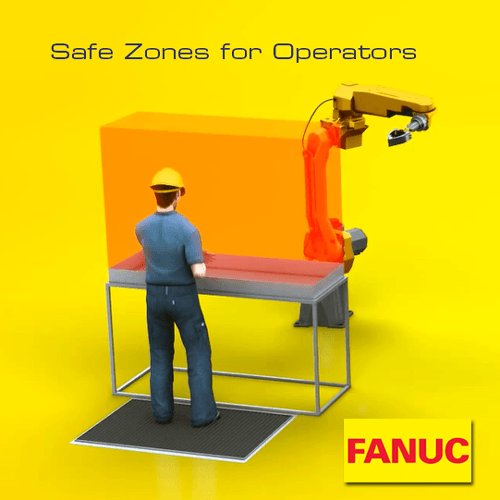
Safety Zones for operators helps assure the operator’s safety in a Robotic Industries Association (RIA) safety compliant manner, while keeping the robot moving.
When the operator enters a workspace that the robot normally occupies, he triggers an input and a zone is blocked off where the robot can no longer enter. While the robot may, at this point, be using a less efficient path, this eliminates the need for robot cell downtime.
The illustration above shows the operator on a safety mat. The safety mat sends a signal to the robot controller which causes a Safety Zone to be activated within the controller. The controller prevents the robot from entering the area where it would violate safety specifications for clearance with the operator, all in a fail-safe, safety rated manner.
The Safety Speed Check function can be used to slow down a robot under specific conditions, in a fail-safe, safety rated manner. This function could be used to reduce the minimum distance from an operator to the robot under specific conditions.
For example if a quality check needs to occur, an operator could be allowed to perform the check in an area that is acceptable if the robot is moving at a slower speed, but unacceptable if the robot is running at a higher speed. A safety rated mat or laser scanner could be used to signal to the robot controller that an operator is present at the quality check station. The robot controller would slow the robot down so the operator is outside the acceptable limit of robot motion at the slower speed, where the operator would otherwise be in an unacceptable area if the robot was operating at full speed.
Safety mats, light curtains or laser scanners can also be used to provide a signal to the robot controller to slow the robot down and/or limit robot motion so that maintenance can be performed in specific areas of the robot cell while other areas of the robot cell are still in operation.
Cartesian Position Check can be used by the robot cell designer and programmer to simply and quickly define the physical envelope of the robot and its end of arm tool. The designer/programmer can in turn use this physical envelope to restrict motion of the robot.
The movement of the tooling can be defined using up to 32 zones that all have on/off switches defined in DCS.
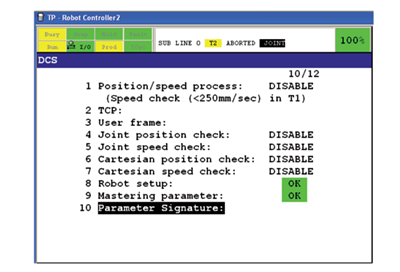
FANUC continues to expand DCS capabilities with new features on modern controllers:
| Controller | Core DCS Functions | Newer / Advanced DCS Features | Notes / Requirements |
|---|---|---|---|
| R-30iA | Joint Position Check Joint Speed Check Cartesian Position Check Cartesian Speed Check |
Core functions only in most deployments.
|
Often requires DCS option licensing; confirm installed software rev and safety I/O.
|
| R-30iB / Mate | Joint Position Check Joint Speed Check Cartesian Position Check Cartesian Speed Check |
Improved stop behavior
Redundant safety processing
Feature set varies by options/firmware.
|
Check option keys for DCS and safe I/O modules; validate stop category behavior.
|
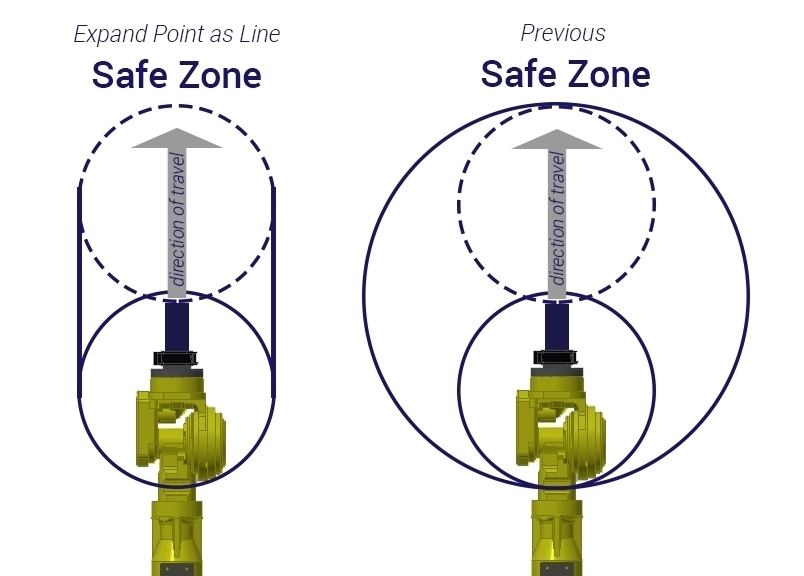
| R-30iB Plus / Mate Plus | Joint Position Check Joint Speed Check Cartesian Position Check Cartesian Speed Check | Stop Position Prediction Expand Point as Line Enhanced diagnostics |
Simulate and validate in ROBOGUIDE; re-verify zones after EOAT/layout changes.
|
| R-50iA / Mate | Joint Position Check Joint Speed Check Cartesian Position Check Cartesian Speed Check | Stop Type by Direction Stop Position Prediction Advanced DCS/4D Visualization |
Requires specific DCS packages and latest firmware. Validate with FANUC release notes.
|
| Legacy / Other Variants | Joint Position Check Joint Speed Check Cartesian Position Check Cartesian Speed Check | Limited or N/A |
Confirm availability of DCS options and safe I/O on a per-controller basis.
|

Download the Dual Check Safety brochure
When implementing DCS, designers should:
Robotic safety continues to advance. Research and development in dynamic safe zones, vision, 3D scanners, AI-based human detection, and predictive collision avoidance will further expand what DCS and similar systems can achieve. FANUC’s ongoing innovation ensures DCS will remain at the core of safe, high-productivity robot cells.
To explore how DCS can improve your next project, contact Motion Controls Robotics for system design support, simulation, and integration expertise.